> ## Documentation Index
> Fetch the complete documentation index at: https://docs.rime.ai/llms.txt
> Use this file to discover all available pages before exploring further.
# rime tts
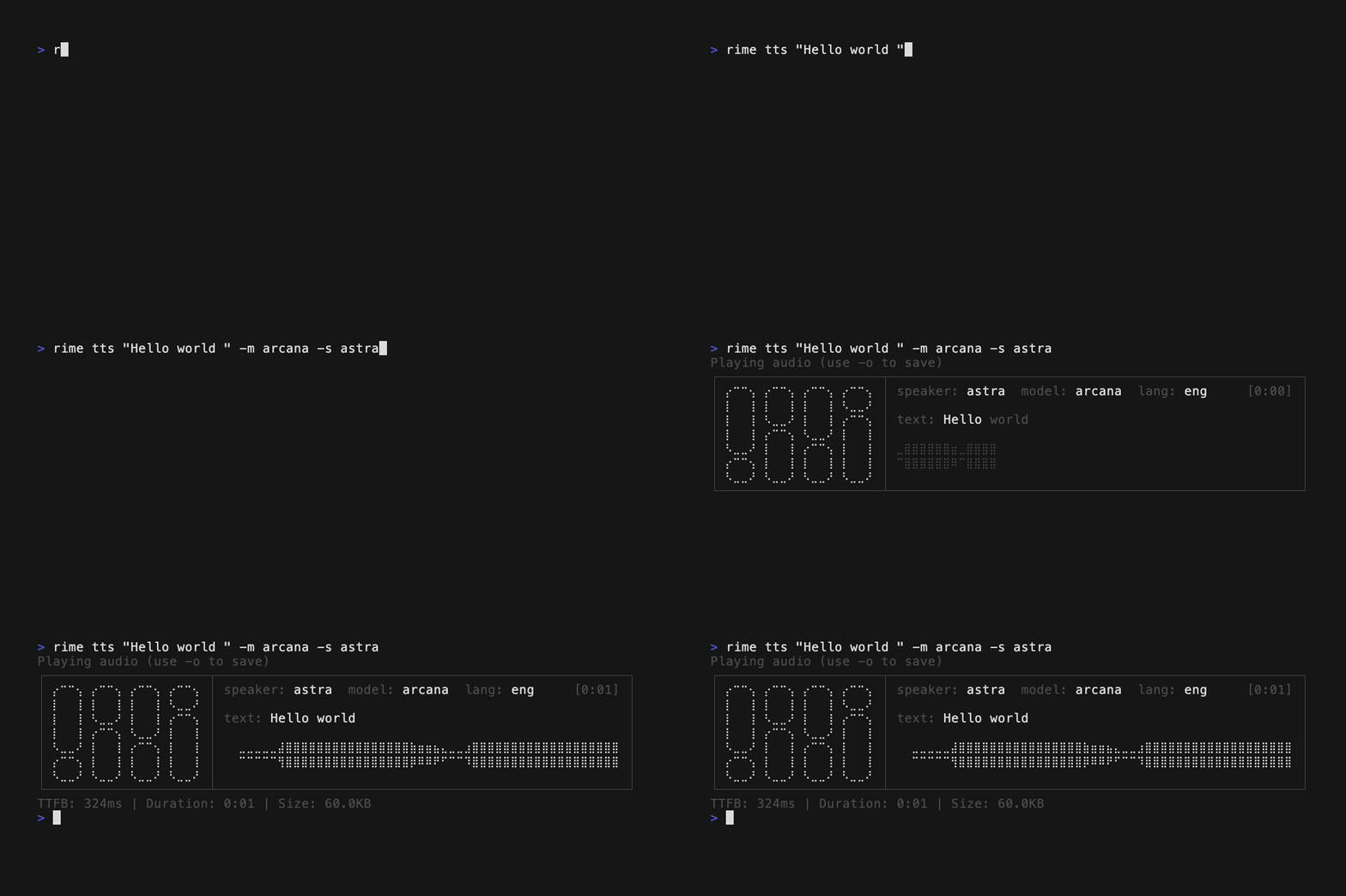
> Synthesize text to speech from the command line using the Rime CLI.
Synthesize text to speech. Supports WAV and MP3 formats. The format is automatically selected based on the model: `mist` and `mistv2` output MP3, while `coda`, `mistv3`, `arcana`, and `arcanav2` default to WAV. Use `--format` to override.
```bash theme={null}
rime tts TEXT --speaker VOICE --model-id MODEL
```
 ## Required flags
| Flag | Short | Description |
| ------------ | ----- | --------------------------------------------------------------------- |
| `--speaker` | `-s` | Voice speaker to use (e.g., `astra`, `celeste`, `orion`) |
| `--model-id` | `-m` | Model ID: `coda`, `arcana`, `arcanav2`, `mistv3`, `mistv2`, or `mist` |
## Optional flags
| Flag | Short | Default | Description |
| ----------------- | ----- | ------- | --------------------------------------------------------------------------------------------------------------------------- |
| `--output` | `-o` | -- | Output file path. Use `-` for stdout. If omitted, plays audio directly |
| `--play` | `-p` | `false` | Play audio after synthesis (default behavior when no output is specified) |
| `--lang` | `-l` | `eng` | Language code (e.g., `eng`, `es`, `fra`). Valid codes depend on model |
| `--format` | `-f` | -- | Audio format: `wav` or `mp3` (overrides model default) |
| `--speed-alpha` | -- | `1` | Speed multiplier. For `mist`/`mistv2`: lower is faster. For `coda`/`arcana`/`mistv3`: higher is faster |
| `--sampling-rate` | -- | -- | Output sampling rate in Hz. Coda/Arcana: `8000`, `16000`, `22050`, `24000`, `44100`, `48000`, `96000`. Mist: `4000`–`44100` |
| `--api-url` | -- | -- | API URL (default: `$RIME_API_URL` or `https://users.rime.ai/v1/rime-tts`) |
## Arcana/arcanav2 flags
| Flag | Default | Description |
| ---------------------- | ------- | ---------------------------- |
| `--temperature` | `0.5` | Sampling temperature (0–1) |
| `--top-p` | `1` | Top-p nucleus sampling (0–1) |
| `--max-tokens` | `1200` | Max output tokens (200–5000) |
| `--repetition-penalty` | `1.5` | Repetition penalty (1–2) |
## mist/mistv2/mistv3 flags
| Flag | Description |
| -------------------------- | ---------------------------------------- |
| `--inline-speed-alpha` | Comma-separated per-segment speed values |
| `--pause-between-brackets` | Insert pause at bracketed markers |
## mist/mistv2 flags
These flags are supported by `mist` and `mistv2` only. They are not supported by `mistv3`.
| Flag | Description |
| ------------------------------ | ----------------------------------------------------------------------------------- |
| `--phonemize-between-brackets` | Phonemize text in brackets (see [Custom pronunciation](/docs/custom-pronunciation)) |
| `--no-text-normalization` | Disable text normalization |
## Examples
```bash theme={null}
# Play audio directly through speakers
rime tts "Hello world" -s astra -m coda
# Save to a WAV file
rime tts "Hello world" -s astra -m coda -o output.wav
# Pipe audio to stdout
rime tts "Hello world" -s astra -m coda -o - > audio.wav
# Use mistv3 (WAV by default)
rime tts "Hello world" -s peak -m mistv3
# Use mistv2 (outputs MP3 by default)
rime tts "Hello world" -s peak -m mistv2
# Synthesize in Spanish with Coda
rime tts "Hola mundo" -s astra -m coda -l es
# JSON output with timing metadata
rime tts "Hello world" -s astra -m coda -o output.wav --json
```
## Supported languages by model
| Model | Languages |
| ----------------- | ----------------------------------------------------------------------------------------- |
| `coda` | `eng`, `spa`, `fra`, `por`, `ger`, `jpn` (and ISO 639-1 equivalents) |
| `arcana` | `eng`, `spa`, `fra`, `por`, `ger`, `jpn`, `tam`, `sin`, `heb` (and ISO 639-1 equivalents) |
| `arcanav2` | `eng`, `spa`, `ger`, `fra` (and ISO 639-1 equivalents) |
| `mistv3` | `eng`, `fra`, `ger`, `spa` (and ISO 639-1 equivalents) |
| `mistv2` / `mist` | `eng`, `fra`, `ger`, `spa` (and ISO 639-1 equivalents) |
The `mist` and `mistv2` models default to MP3. `coda`, `mistv3`, `arcana`, and `arcanav2` default to WAV. Use `--format` to override.
## Required flags
| Flag | Short | Description |
| ------------ | ----- | --------------------------------------------------------------------- |
| `--speaker` | `-s` | Voice speaker to use (e.g., `astra`, `celeste`, `orion`) |
| `--model-id` | `-m` | Model ID: `coda`, `arcana`, `arcanav2`, `mistv3`, `mistv2`, or `mist` |
## Optional flags
| Flag | Short | Default | Description |
| ----------------- | ----- | ------- | --------------------------------------------------------------------------------------------------------------------------- |
| `--output` | `-o` | -- | Output file path. Use `-` for stdout. If omitted, plays audio directly |
| `--play` | `-p` | `false` | Play audio after synthesis (default behavior when no output is specified) |
| `--lang` | `-l` | `eng` | Language code (e.g., `eng`, `es`, `fra`). Valid codes depend on model |
| `--format` | `-f` | -- | Audio format: `wav` or `mp3` (overrides model default) |
| `--speed-alpha` | -- | `1` | Speed multiplier. For `mist`/`mistv2`: lower is faster. For `coda`/`arcana`/`mistv3`: higher is faster |
| `--sampling-rate` | -- | -- | Output sampling rate in Hz. Coda/Arcana: `8000`, `16000`, `22050`, `24000`, `44100`, `48000`, `96000`. Mist: `4000`–`44100` |
| `--api-url` | -- | -- | API URL (default: `$RIME_API_URL` or `https://users.rime.ai/v1/rime-tts`) |
## Arcana/arcanav2 flags
| Flag | Default | Description |
| ---------------------- | ------- | ---------------------------- |
| `--temperature` | `0.5` | Sampling temperature (0–1) |
| `--top-p` | `1` | Top-p nucleus sampling (0–1) |
| `--max-tokens` | `1200` | Max output tokens (200–5000) |
| `--repetition-penalty` | `1.5` | Repetition penalty (1–2) |
## mist/mistv2/mistv3 flags
| Flag | Description |
| -------------------------- | ---------------------------------------- |
| `--inline-speed-alpha` | Comma-separated per-segment speed values |
| `--pause-between-brackets` | Insert pause at bracketed markers |
## mist/mistv2 flags
These flags are supported by `mist` and `mistv2` only. They are not supported by `mistv3`.
| Flag | Description |
| ------------------------------ | ----------------------------------------------------------------------------------- |
| `--phonemize-between-brackets` | Phonemize text in brackets (see [Custom pronunciation](/docs/custom-pronunciation)) |
| `--no-text-normalization` | Disable text normalization |
## Examples
```bash theme={null}
# Play audio directly through speakers
rime tts "Hello world" -s astra -m coda
# Save to a WAV file
rime tts "Hello world" -s astra -m coda -o output.wav
# Pipe audio to stdout
rime tts "Hello world" -s astra -m coda -o - > audio.wav
# Use mistv3 (WAV by default)
rime tts "Hello world" -s peak -m mistv3
# Use mistv2 (outputs MP3 by default)
rime tts "Hello world" -s peak -m mistv2
# Synthesize in Spanish with Coda
rime tts "Hola mundo" -s astra -m coda -l es
# JSON output with timing metadata
rime tts "Hello world" -s astra -m coda -o output.wav --json
```
## Supported languages by model
| Model | Languages |
| ----------------- | ----------------------------------------------------------------------------------------- |
| `coda` | `eng`, `spa`, `fra`, `por`, `ger`, `jpn` (and ISO 639-1 equivalents) |
| `arcana` | `eng`, `spa`, `fra`, `por`, `ger`, `jpn`, `tam`, `sin`, `heb` (and ISO 639-1 equivalents) |
| `arcanav2` | `eng`, `spa`, `ger`, `fra` (and ISO 639-1 equivalents) |
| `mistv3` | `eng`, `fra`, `ger`, `spa` (and ISO 639-1 equivalents) |
| `mistv2` / `mist` | `eng`, `fra`, `ger`, `spa` (and ISO 639-1 equivalents) |
The `mist` and `mistv2` models default to MP3. `coda`, `mistv3`, `arcana`, and `arcanav2` default to WAV. Use `--format` to override.